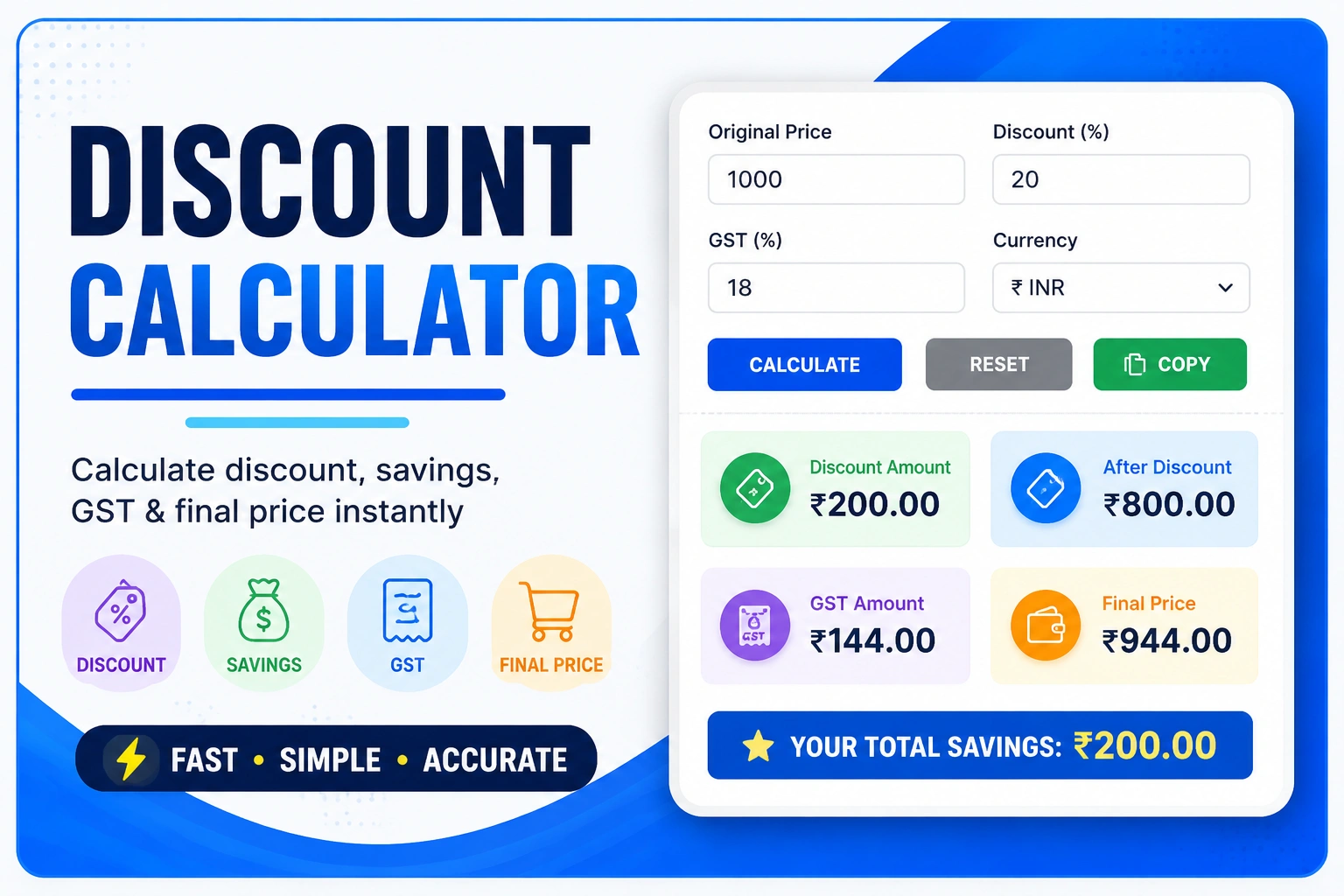
Discount Calculator Online
The Discount Calculator is a simple online tool that helps you calculate the discount amount, final sale price and total savings from any percentage discount. Instead of calculating a discount manually, you can enter the original price and discount percentage to get an instant result.
A Discount Calculator can be useful while shopping online, comparing product prices, checking sale offers or calculating how much money you can save after a percentage discount. The calculator works with different prices and discount percentages and provides the result instantly.
What Is a Discount Calculator?
A Discount Calculator is an online calculator used to determine how much a product's price is reduced after applying a percentage discount. It calculates both the discount amount and the final price that you would pay after the discount.
For example, if a product costs ₹2,000 and has a 20% discount, the discount amount is ₹400 and the final price becomes ₹1,600. The Discount Calculator performs this calculation automatically.
How Does the Discount Calculator Work?
The calculator uses the original price and discount percentage to determine the amount saved. First, it calculates the discount amount. The discount amount is then subtracted from the original price to determine the final sale price.
Discount Formula
The basic discount formula is:
Discount Amount = Original Price × Discount Percentage ÷ 100
The final price is calculated using:
Final Price = Original Price − Discount Amount
How to Use the Discount Calculator
Using the Discount Calculator is quick and easy. Follow these steps:
- Enter the original price of the product.
- Enter the discount percentage offered by the seller.
- Click the Calculate Discount button.
- The calculator will show the discount amount and final price.
- The total amount saved will also be displayed.
Discount Calculator Example
Suppose a product has an original price of ₹5,000 and the store offers a 15% discount. The discount amount can be calculated as:
₹5,000 × 15 ÷ 100 = ₹750
Therefore, the final price after the discount is:
₹5,000 − ₹750 = ₹4,250
In this example, you save ₹750 and pay ₹4,250 after applying the discount.
Why Use an Online Discount Calculator?
Calculating discounts manually can take extra time, especially when comparing several products with different prices and discount percentages. An online Discount Calculator performs the calculation instantly and makes price comparison easier.
The Toolxy Discount Calculator is designed to work on mobile phones, tablets and desktop computers. You only need to enter the original price and percentage discount.
Discount Percentage Explained
A discount percentage represents the portion of the original price that is reduced. For example, a 10% discount means that 10% of the original price is deducted from the product price.
Similarly, a 25% discount reduces the original price by one-quarter of its value, while a 50% discount reduces the price by half.
Common Discount Examples
| Original Price | Discount | Discount Amount | Final Price |
|---|---|---|---|
| ₹1,000 | 10% | ₹100 | ₹900 |
| ₹2,000 | 20% | ₹400 | ₹1,600 |
| ₹5,000 | 25% | ₹1,250 | ₹3,750 |
| ₹10,000 | 30% | ₹3,000 | ₹7,000 |
How to Calculate Discount Manually
To calculate a discount manually, multiply the original price by the discount percentage and divide the result by 100. The resulting number is the discount amount.
After finding the discount amount, subtract it from the original price. The remaining amount is the final price after discount.
Discount Calculator for Online Shopping
Online stores frequently display discounts such as 10%, 20%, 30%, 50% or more. A Discount Calculator can help you determine the actual amount you will save before purchasing a product.
When comparing products, remember that a displayed discount percentage does not always mean the product is the cheapest option. Comparing the final selling price can provide a clearer picture.
Discount Calculator for Sale Prices
During seasonal sales, retailers may offer percentage-based discounts on products. A Discount Calculator makes it easier to calculate the final price without performing the calculation manually.
For example, if a ₹3,000 product is offered at a 40% discount, the discount amount is ₹1,200 and the final price is ₹1,800.
Percentage Discount vs Final Price
The discount percentage tells you how much of the original price is reduced, while the final price tells you how much you need to pay after applying the discount.
Both values are important when evaluating a sale offer. The Discount Calculator shows these values together so you can understand the complete calculation.
Can You Calculate Multiple Discounts?
Some retailers apply more than one discount successively. Two successive discounts should not simply be added together because the second discount is usually calculated on the already reduced price.
For example, a 20% discount followed by a 10% discount does not produce a straight 30% reduction from the original price. The second discount is applied after the first reduction.
Important Things to Check Before Buying
- Check the original price and final selling price.
- Check whether taxes are included.
- Look for shipping or delivery charges.
- Check whether the discount has any minimum purchase requirement.
- Review the seller's terms and conditions.
Frequently Asked Questions About Discount Calculator
What is a Discount Calculator?
A Discount Calculator is an online tool that calculates the discount amount, final sale price and savings from an original price and discount percentage.
How do I calculate a discount?
Multiply the original price by the discount percentage and divide by 100. The result is the discount amount.
How do I calculate the final price after discount?
Subtract the discount amount from the original price to get the final price.
What is the formula for discount?
Discount Amount = Original Price × Discount Percentage ÷ 100.
What is the final price after a 20% discount?
A 20% discount means you pay 80% of the original price.
Is the Discount Calculator free?
Yes. The Toolxy Discount Calculator is available online for quick discount calculations.
Can I use the calculator on mobile?
Yes. The Toolxy Discount Calculator is designed to work on smartphones, tablets and desktop devices.
Does the calculator include tax?
No. The calculator applies the percentage discount to the entered original price. Taxes, shipping and other fees are not automatically included.
How much is 30% off ₹1,000?
A 30% discount on ₹1,000 is ₹300, so the final price is ₹700.
How much is 50% off ₹2,000?
A 50% discount on ₹2,000 is ₹1,000, so the final price is ₹1,000.
Final Thoughts
The Discount Calculator provides a quick and convenient way to calculate discounts, final prices and savings. Whether you are shopping online, comparing sale offers or checking a product's discounted price, the calculator can help you understand the actual amount you will pay.
For more useful financial and everyday calculators, you can also explore the EMI Calculator , SIP Calculator and Simple Interest Calculator .