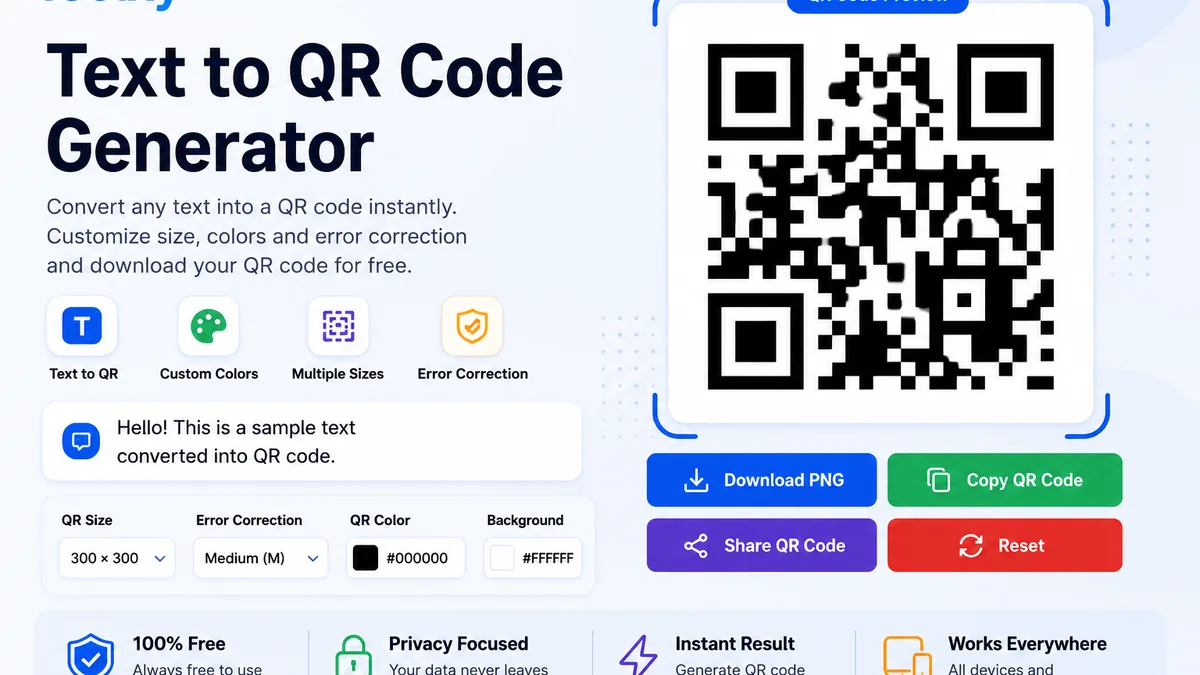
Text to QR Code Generator
A Text to QR Code Generator lets you convert ordinary text into a scannable QR code within seconds. Instead of manually typing or sharing long text, you can create a QR code that stores the information and can be scanned using a smartphone camera or QR scanner.
Toolxy provides a simple and convenient way to create a QR code from text without complicated software or installation. Enter your text, choose your preferred QR settings and generate the QR code instantly.
What Is a Text to QR Code Generator?
A Text to QR Code Generator is an online tool that converts text information into a Quick Response (QR) code. The generated QR code contains the text you entered and can be scanned by compatible devices.
Text QR codes can be useful when you want to share information in a compact and easy-to-scan format. They can be used for short messages, instructions, addresses, event details, product information and many other purposes.
How Does a Text QR Code Work?
When you enter text into the generator, the information is encoded into a QR code pattern. A QR scanner reads that pattern and converts it back into readable text.
The QR code does not require the recipient to manually type the complete text. They can simply scan the code with a compatible smartphone or QR scanning application.
Why Use a Text QR Code?
A text QR code can make information sharing faster and more convenient. It can be especially useful when the information is displayed on a poster, printed document, presentation, product package or physical location.
- Quickly share text information.
- Reduce manual typing.
- Create scannable information for printed materials.
- Share instructions and notes conveniently.
- Customize QR code size and colors.
- Use the generated QR code on different devices and materials.
What Can You Put in a Text QR Code?
You can encode many types of ordinary text, depending on the amount of information and QR code capacity. Common examples include:
- Short messages
- Instructions
- Event information
- Product information
- Addresses
- Contact details
- Study notes
- Business information
- Plain text announcements
Text to QR Code Generator Features
Simple Text Input
Enter or paste your text directly into the input area. The interface is designed to make QR code creation straightforward on both mobile phones and desktop devices.
Multiple QR Sizes
Choose an appropriate QR code size depending on where you plan to display or print it. A larger QR code can be useful when it needs to be scanned from a greater distance.
Error Correction Options
QR codes support error correction, which can help a QR code remain readable even when a portion of the code is damaged or obscured. Choose an appropriate level based on your use case.
QR Color Customization
You can customize the QR code color according to your design. For the best scanning reliability, maintain strong contrast between the QR code and its background.
Background Customization
Select a suitable background color for your QR code. A light background with a dark QR pattern generally provides strong visual contrast.
How to Create a QR Code From Text
Creating a QR code from text is easy. Enter the required information into the text field, select the desired QR size and error correction level, customize the colors if necessary, and click the Generate QR Code button.
Once the QR code has been generated, scan it with another device to confirm that the encoded information is displayed correctly before printing or sharing it.
Tips for Creating a Scannable Text QR Code
- Use strong contrast between the QR code and background.
- Avoid extremely small QR codes for printed materials.
- Test the QR code with a smartphone before publishing it.
- Keep important information accurate before generating the code.
- Leave enough clear space around the QR code.
- Use a suitable error correction level for your intended application.
Text QR Code vs URL QR Code
A text QR code stores readable text information, while a URL QR code stores a web address that can direct a user to a website. The right option depends on what you want the QR code to provide after scanning.
If you want to share a website address, you can use a dedicated URL to QR Code Generator. For ordinary text information, this Text to QR Code Generator is a suitable option.
Is the Text to QR Code Generator Free?
Toolxy's Text to QR Code Generator is designed as an easy-to-use online utility for creating QR codes from text. You can enter your information, customize available settings and generate a QR code directly from your browser.
Frequently Asked Questions
What is a Text to QR Code Generator?
It is an online tool that converts text information into a scannable QR code.
Can I create a QR code from any text?
You can create a QR code from supported text content. The amount of information that can be stored depends on the QR code's capacity.
Can I scan a text QR code with my phone?
Yes. Most modern smartphones can scan QR codes using their built-in camera or a compatible QR scanner.
Can I customize the QR code?
Yes. The tool provides options such as QR size, error correction and color customization.
Why should I test my QR code before printing?
Testing confirms that the QR code can be scanned correctly and that the encoded information is accurate.
Related Tools
Explore more useful tools on Toolxy. You can also use the URL to QR Code Generator when you want to convert a website address into a QR code.
Conclusion
A Text to QR Code Generator is a convenient way to turn written information into a scannable QR code. With Toolxy, you can enter text, choose QR settings, customize the appearance and generate a QR code directly in your browser.