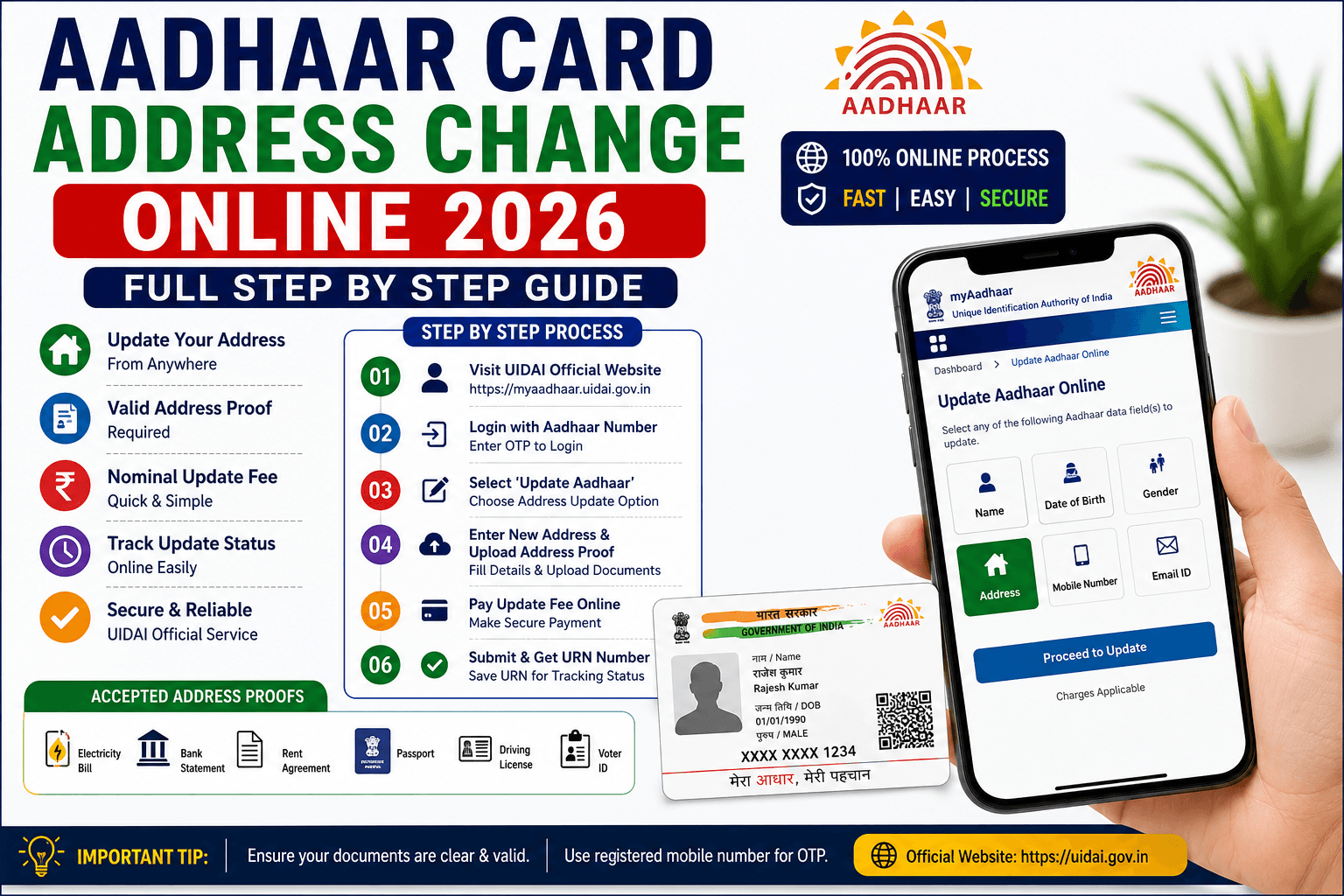
Aadhaar Card Address Change Online 2026 – Full Step By Step Guide
Learn how to update Aadhaar address online using UIDAI portal with complete process, required documents, fees, status check and important tips.

📚 Table of Contents
What is Aadhaar Address Change?
Aadhaar address update is the process of changing your residential address in UIDAI records. If you shift to a new home, city or state, updating Aadhaar helps avoid KYC and banking issues.
Benefits of Aadhaar Address Update
- Easy KYC verification
- Bank account verification
- Government scheme approval
- Updated official records
- Faster document verification
- Correct address for banking
Documents Required
- Electricity Bill
- Passport
- Bank Statement
- Driving License
- Rent Agreement
- Gas Connection Bill
How to Change Aadhaar Address Online
Visit UIDAI Portal
Open official UIDAI website and login using Aadhaar number.
Verify Mobile OTP
Enter OTP received on your registered mobile number.
Select Address Update
Choose Aadhaar Address Update option from dashboard.
Upload Documents
Upload clear address proof document.
Submit Request
Review all details carefully and submit request successfully.
Aadhaar Update Fees
UIDAI charges a small fee for Aadhaar correction services. Fees may change according to UIDAI rules.
How to Check Aadhaar Status
Use URN number and Aadhaar number to track update status online.
Common Aadhaar Errors
- OTP not received
- Document upload failed
- Address mismatch
- Invalid document
- Mobile number not linked
Frequently Asked Questions
Can I update Aadhaar online?
Yes, Aadhaar address can be updated online through UIDAI portal.
What documents are required?
Bank statement, electricity bill, passport, rent agreement and other approved documents.
How many days does update take?
Usually Aadhaar updates are processed within a few working days.
Can I update mobile number online?
Some services require Aadhaar center visit for mobile update.